Professional iOS Device UDID Retrieval
Instructions
-
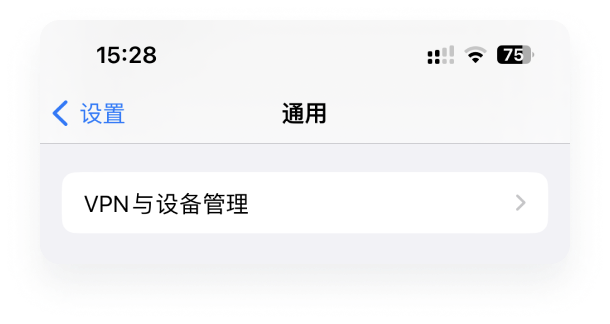
Click Allow to install the profile, return to the home screen, open Settings - General, find and open VPN & Device Management
-
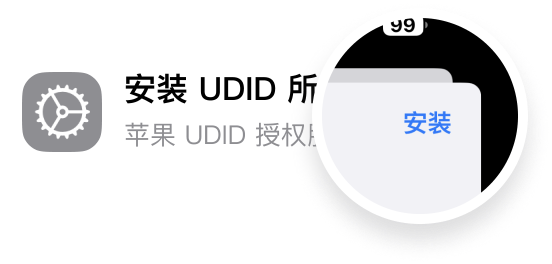
On the pop-up page, click the Install button in the upper right corner, then enter your lock screen password to install
Features
What is UDID?
UDID is a unique identifier for iOS devices. Each iOS device has a unique code, which we call the identifier, also known as UDID (Unique Device Identifier).
Is it safe to get UDID?
Yes, it's safe. This feature does not store any of your data on third-party servers, and all data transmitted to the browser is encrypted with 256-bit AES to prevent hijacking.